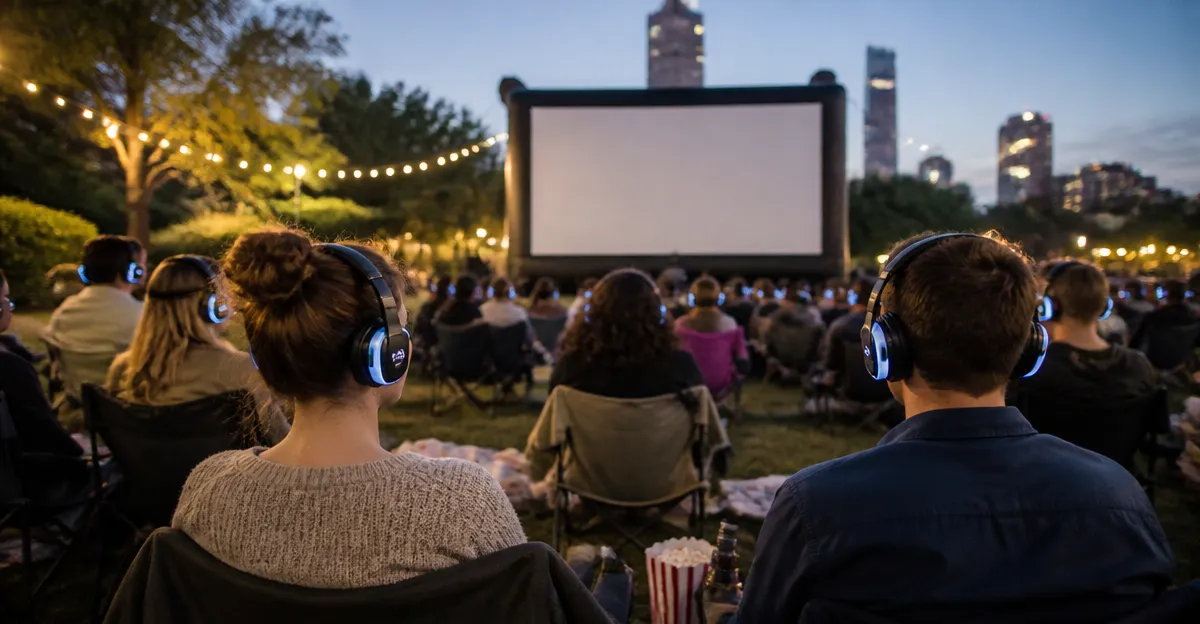
How to Stream Multilingual Audio to Wireless Headsets for Outdoor Screenings: A Step‑by‑Step Guide
Introduction
Outdoor film screenings often attract diverse audiences who prefer to listen in their native language. Providing separate wireless headsets for each language eliminates the need for bulky wired distributors and enhances the overall experience. This guide explains how to set up a reliable multilingual audio streaming system using readily available Bluetooth and 2.4 GHz transmitters. Readers will learn how to connect a media source, distribute high‑resolution audio, and manage multiple headset pairs while maintaining low latency and robust range.
What You’ll Need
- Media source capable of outputting multiple audio tracks (laptop, tablet, or smartphone).
- Blume Pro Bluetooth DAC Receiver – to convert Bluetooth streams into high‑quality analog or digital output.
- Twelve South AirFly SE – compact transmitter for a single headset.
- Avantree Relay – dual‑headset transmitter for shared language streams.
- 1Mii Wireless RCA Audio Transmitter – optional for extending audio to remote speakers or sub‑woofers.
- Power sources (portable battery packs or AC adapters) and necessary cables (RCA, 3.5 mm aux).
Step‑by‑Step Instructions
1. Prepare the Media Source and Audio Tracks
Begin by loading the film on a device that supports multiple audio tracks, such as VLC Media Player or a dedicated cinema‑grade playback system. Verify that each language is assigned to a distinct audio channel or track. Select the desired track during playback to ensure the correct stream is sent to the transmitter. This step is crucial because the subsequent hardware will forward the selected audio without the ability to switch tracks on the fly.
2. Connect the Source to the Blume Pro Bluetooth DAC Receiver
Use an RCA, optical, or coaxial cable to connect the media device’s audio output to the Blume Pro. The receiver features an audiophile‑grade ESS Sabre DAC capable of 32‑bit/384 kHz upsampling, which ensures lossless audio quality even when streaming high‑resolution tracks. Its OLED display shows codec information, making it easy to confirm that the correct language stream is active. The device supports Bluetooth 5.3, LDAC, aptX HD, and other codecs, allowing future expansion if a wireless source is preferred.
Key specifications:
- Price: $149.00
- Rating: 4.6 / 5.0 (1,116 reviews)
- Wireless range: up to 30 m (100 + ft) through walls
- Outputs: RCA, optical, coaxial
Why this product is useful: It modernises legacy stereo or AV receivers, providing a clean, high‑fidelity line‑level signal that can be split to multiple transmitters without degradation.
3. Distribute the Audio to Individual Headsets
For each language you intend to offer, select a suitable transmitter. The following recommendations balance cost, battery life, and the number of simultaneous listeners.
3A. Single‑Headset Language Stream – Use the Twelve South AirFly SE
Plug the AirFly SE into the 3.5 mm output of the Blume Pro (or directly into the media device if the DAC is not required). Power the AirFly SE via its USB‑C port; the battery provides over 20 hours of continuous playback, which comfortably covers most evening screenings. Once powered, press the pairing button; the device will appear in the headset’s Bluetooth list within seconds. The AirFly SE supports seamless Bluetooth connectivity with AirPods, earbuds, and any Bluetooth headphones, making it ideal for a single‑listener language channel.
- Price: $34.97
- Rating: 4.3 / 5.0 (7,093 reviews)
- Battery life: >20 hours, chargeable via USB‑C while in use
- Controls: volume buttons on the side for quick adjustments
Why this product is useful: Its compact size and long battery life allow it to be placed near the speaker system without drawing attention, and the intuitive controls reduce the need for a separate controller.
3B. Dual‑Headset Language Stream – Use the Avantgarde Relay
When two audience members wish to share the same language, the Avantree Relay can pair two Bluetooth headsets simultaneously. Connect the Relay to the same audio output used for the AirFly SE (or to a separate RCA/3.5 mm splitter). Initiate the three‑step pairing process: plug in, press the sync button, and place both headsets in pairing mode. The device’s Qualcomm aptX Adaptive and aptX HD codecs ensure low latency, which is essential for synchronising dialogue with on‑screen action.
- Price: $34.99
- Rating: 4.3 / 5.0 (7,017 reviews)
- Battery life: up to 25 hours
- Features: dual‑link transmission, volume controls, LED battery indicator
Why this product is useful: It eliminates the need for two separate transmitters, reducing clutter and power consumption while guaranteeing that both listeners experience identical audio quality.
3C. Extending Audio to Remote Speakers – Optional 1Mii Wireless RCA Audio Transmitter
If the outdoor venue includes a separate sound reinforcement system (e.g., a powered sub‑woofer placed far from the screen), the 1Mii transmitter can send the same audio signal wirelessly over 2.4 GHz. Connect the transmitter’s RCA inputs to the Blume Pro’s analog outputs, then place the receiver near the remote speaker. The system operates with less than 25 ms latency, ensuring that dialogue remains in sync with the picture.
- Price: $45.99
- Rating: 4.6 / 5.0 (31 reviews)
- Range: up to 98 ft indoors, 262 ft outdoors
- Features: rotary knob for volume, pause/play, and indicator control
Why this product is useful: It provides a battery‑free solution for powering distant speakers, which is advantageous when AC outlets are scarce at outdoor sites.
4. Position Transmitters for Optimal Coverage
Place the Blume Pro centrally on a stable surface, ensuring its external gain antenna faces outward. The advertised 30 m range works best when line‑of‑sight is maintained; avoid placing large metal objects directly between the transmitter and headsets. For the AirFly SE and Avantree Relay, keep them within 10–15 m of the audience area to guarantee stable connections. If the venue is larger than 30 m, consider adding an additional Blume Pro or a second 1Mii transmitter to bridge the gap.
5. Power Management and Battery Monitoring
All Bluetooth transmitters in this guide feature LED indicators for battery status. Before each screening, verify that the AirFly SE and Avantree Relay are fully charged; each offers more than 20 hours of operation, which exceeds typical event durations. The Blume Pro is powered via a standard AC adapter, eliminating concerns about runtime. For the 1Mii transmitter and receiver, connect the supplied power adapters to a reliable outlet or a portable power bank with sufficient wattage.
6. Test Latency and Synchronisation
Perform a short test run at least 30 minutes before the audience arrives. Play a scene with distinct visual cues (e.g., a door slam) and have a volunteer wear a headset. Verify that the audio aligns with the visual event; any delay greater than 50 ms may be perceptible. If latency is observed, move the Bluetooth transmitters closer to the source or reduce interference from other 2.4 GHz devices (Wi‑Fi routers, cordless phones).
Tips & Pro Tips
- Use a high‑quality 3.5 mm splitter with gold‑plated contacts to minimise signal loss when feeding multiple transmitters.
- Enable the “Low Latency” mode on compatible headsets (e.g., aptX Low Latency) to further reduce audio lag.
- For multilingual events with more than three languages, duplicate the AirFly SE setup for each additional language; the devices are inexpensive and battery‑friendly.
- Secure all cables with zip ties to prevent tripping hazards in outdoor environments.
- Check local airline or venue regulations regarding Bluetooth usage; some venues restrict wireless transmitters near sensitive equipment.
Troubleshooting
Problem: Headset disconnects intermittently.
Solution: Ensure the transmitter is within the advertised range and that no large metal objects obstruct the line‑of‑sight. Restart the transmitter by toggling its power switch, then re‑pair the headset.
Problem: Audio is low or distorted.
Solution: Verify that the Blume Pro output level is set appropriately; many users adjust the volume on their phone or source device. The AirFly SE allows volume control directly on the unit.
Problem: Multiple headsets experience out‑of‑sync playback.
Solution: Use the Avantree Relay’s dual‑link feature, which synchronises both streams. If latency persists, reduce the number of active Bluetooth devices in the vicinity.
Conclusion
By following this guide, one can deliver high‑fidelity, multilingual audio to wireless headsets during outdoor screenings without compromising synchronisation or range. The combination of a premium DAC receiver, dedicated Bluetooth transmitters, and optional 2.4 GHz audio bridges provides a flexible, scalable solution suitable for festivals, community events, and private gatherings. Proper placement, power management, and pre‑event testing ensure a seamless experience for every listener.
Frequently Asked Questions
What equipment is required to stream multilingual audio to wireless headsets for outdoor screenings?
You need a media source with multiple audio tracks, a Bluetooth DAC receiver (e.g., Blume Pro), a Bluetooth or 2.4 GHz transmitter (e.g., AirFly SE), and matching wireless headsets for each language.
How does a Bluetooth DAC receiver improve the audio quality for outdoor screenings?
The DAC converts digital Bluetooth streams to high‑resolution analog or digital output, reducing compression artifacts and delivering clearer sound to the transmitters.
Can I use both Bluetooth and 2.4 GHz transmitters to support several language channels at once?
Yes, you can pair separate transmitters to different headset groups, allowing each language to be streamed on its own frequency without interference.
What steps can I take to minimize latency and maintain a robust range outdoors?
Choose low‑latency transmitters, keep the source and transmitters within line‑of‑sight, and use high‑gain antennas or repeaters if the area exceeds the typical 30‑40 m range.
What is the basic setup process from the media source to the wireless headsets?
Connect the media source to the Bluetooth DAC, pair the DAC with the transmitter, assign each transmitter to a language headset pair, and test audio sync before the event.